
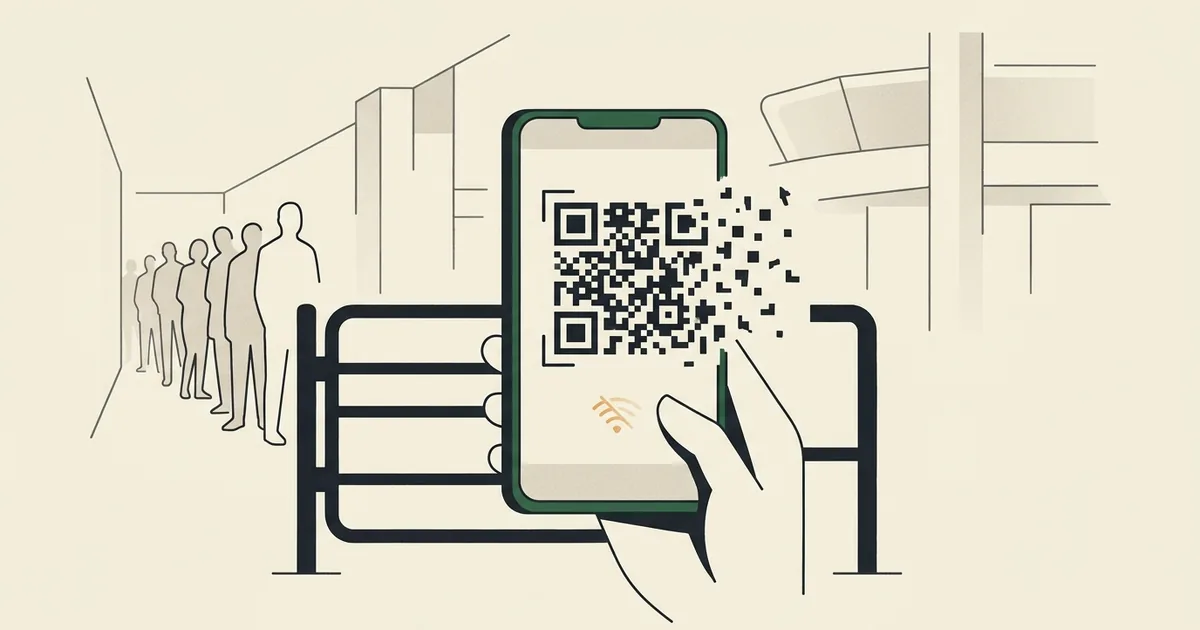
Illustration: FootyGazette (AI-generated concept).
7 min read · 1,428 words
The short version. The most common fifa world cup app problems stadium staff will face in 2026 stem from one design decision: your ticket is a dynamic QR code that lives only inside FIFA’s official app, refreshes every few seconds, and needs a live network connection. There is no paper fallback and screenshots are explicitly rejected. Tens of thousands of fans refreshing that code at once, on stadium cell networks that already buckle under crowd load, is a recipe for queues — and FIFA’s own in-stadium help desk quietly concedes the point.
If you want to understand the likely fifa world cup app problems stadium gates will create next summer, start with the mechanism rather than the marketing. For the 2026 tournament across the United States, Canada and Mexico, your entry pass is not a printout and not a PDF. It is a rotating QR code held inside the FWC2026 Mobile Tickets app, and FIFA has built the entire admission system around the assumption that every one of the millions of attendees will arrive with a charged phone, a working app and a stable data signal at the exact moment they reach the turnstile. That is a lot of single points of failure stacked on top of one another, and the fans testing the app months early are already finding the cracks.
How the digital ticket actually works
The headline fact, set out in FIFA’s own guidance on accessing your mobile ticket, is that the QR code is dynamic. It refreshes every few seconds — the same anti-fraud, anti-touting mechanism carried over from Qatar 2022 — which means a static image is worthless. A screenshot of the code will not be accepted at the gate, because by the time you reach the scanner the code in your screenshot has already expired.
Two further constraints make this fragile. First, the ticket does not appear in the app until a few hours before gates open on matchday; you cannot prepare it the night before and trust that it is sitting there ready. Second, because the code rotates, the app needs to periodically reach FIFA’s servers to refresh it. No signal, no refresh. FIFA’s advice — fully charge your phone before you travel, and turn on app notifications so you are told when the ticket goes live — is sensible, but notice what it implies: the burden of keeping this brittle chain intact has been pushed entirely onto the fan.
What is already going wrong
You do not have to wait for kick-off to see the strain. The app’s listing on Google Play already carries a stream of frustrated user reviews, and the supporter community is documenting specific failures. On the r/FIFACollect thread on missing World Cup tickets, buyers describe opening the app to be told, flatly, that they have “no tickets” — despite a confirmed purchase. Others report that what they can find is “no QR code, just a ticket number,” which is not something you can scan. Some say the only place they could locate their ticket at all was inside the resale marketplace, not the main wallet where you would expect it.
These are not edge cases triggered by a flat battery or a dead zone. They are happening now, in calm conditions, weeks out, to people with charged phones and good Wi-Fi. The system is failing before the crowd has even arrived.
Why the gate is the real failure point: the fifa world cup app problems stadium networks will expose
Here is where the design and the environment collide. A modern World Cup stadium holds 60,000 to 80,000-plus people, and a large share of them converge on the gates within the same 60-to-90-minute window. Cellular networks inside and around big venues are notoriously overwhelmed by exactly that kind of synchronised demand — anyone who has tried to send a text from a packed stadium concourse knows the bars are there but nothing moves.
Now layer the ticket mechanism on top. Thousands of phones all need to reach FIFA’s servers, in the same place, at the same time, to refresh a code that expires in seconds. The very moment of peak network congestion is the exact moment every fan needs a live connection most. During Qatar 2022, fans already reported reaching the turnstile and opening the app only to watch the QR code fail to load — and Qatar funnelled most spectators through a single, heavily provisioned metro-and-stadium corridor. 2026 spreads the same fragile system across 16 host cities and three countries with wildly varying connectivity, from purpose-built arenas to converted NFL stadiums.
The original analysis: FIFA’s app is 2026’s single point of failure
Strip away the convenience messaging and the architecture is stark. FIFA has taken the one thing a fan absolutely must have to enter — proof of a valid ticket — and made it a live, network-dependent, self-expiring object that exists in precisely one place: an app on a phone that must be charged, updated, logged in and online at the gate. Every traditional fallback has been deliberately removed. No paper. No PDF. No screenshot. There is no degraded mode; the system either works in full or it does not work at all.
That is the definition of a single point of failure, and it has been engineered into the most predictable congestion event in sport. The most telling evidence is FIFA’s own contingency plan. In its guidance for fans who cannot access their mobile tickets, FIFA directs them to an in-stadium “Ticketing Resolution Center,” carrying photo ID and a confirmation email. Think about what that desk is for. You do not build, staff and signpost a physical help centre at every venue for a system you expect to work. The Resolution Center is an admission, written into the official process, that the app is expected to fail at scale — and that the human fallback FIFA abolished at the turnstile has simply been moved a hundred metres back and rebranded as a queue you will be standing in while the match kicks off.
What fans can do to protect themselves
You cannot fix FIFA’s architecture, but you can reduce your personal exposure. Practical steps, in rough order of importance:
- Open the app and confirm your ticket has appeared before you leave for the stadium — ideally while you still have reliable Wi-Fi or signal, so you find any “no tickets” problem with hours to spare, not minutes.
- Charge your phone to full and carry a power bank; the app and a struggling network will both drain the battery faster than usual.
- Enable the app’s notifications so you are alerted the moment your matchday ticket goes live.
- Do not rely on a screenshot — it will not scan — but do save your purchase confirmation email and a photo ID somewhere accessible, because that is what the Ticketing Resolution Center will ask for.
- Arrive early. If the gate fails for you, the time you bank now is the time you will spend in the resolution queue later.
None of this is a substitute for a system that simply worked, and it is worth saying plainly that fans should not have to carry a contingency plan to attend a football match they have already paid for. For the wider context on how 2026 is being run, see our complete guide to the 2026 World Cup, our breakdown of the dynamic-pricing controversy, and the related headache of the last-mile problem of getting to and from the stadium.
Frequently asked questions
What are the main FIFA World Cup app problems at the stadium gate?
The core fifa world cup app problems stadium fans face come from one design choice: entry is a dynamic QR code that lives only in FIFA’s app, refreshes every few seconds and needs a live network connection. With no paper or screenshot fallback, congested stadium networks can stop the code refreshing exactly when you reach the turnstile.
Can I use a screenshot of my World Cup 2026 ticket?
No. FIFA explicitly states a screenshot will not be accepted. Because the QR code is dynamic and refreshes every few seconds, any static image expires almost immediately and will not scan at the gate. You must open the live ticket inside the official FWC2026 Mobile Tickets app each time you pass through.
What should I do if the app will not show my ticket at the stadium?
FIFA directs you to the in-stadium Ticketing Resolution Center with photo ID and your purchase confirmation email. Before that, check the ticket has loaded while you still have signal, keep your phone charged, and enable notifications. Arrive early, because if the app fails you will be resolving it in a queue.
